TB.One > Import & Export > TB.One Interfaces > The Import Protocol - Monitoring Imports
The Import Protocol - Monitoring Imports
To check the state of your imports and monitor them, go to "Data exchange > Protocol > Import Protocol" (see Fig.1).
•The section "Running imports" lists all files that are currently being imported.
•The section "Processed imports" shows a history of all files that were imported during the last month, including their start and end times, as well as their status ("finished" or "failed")
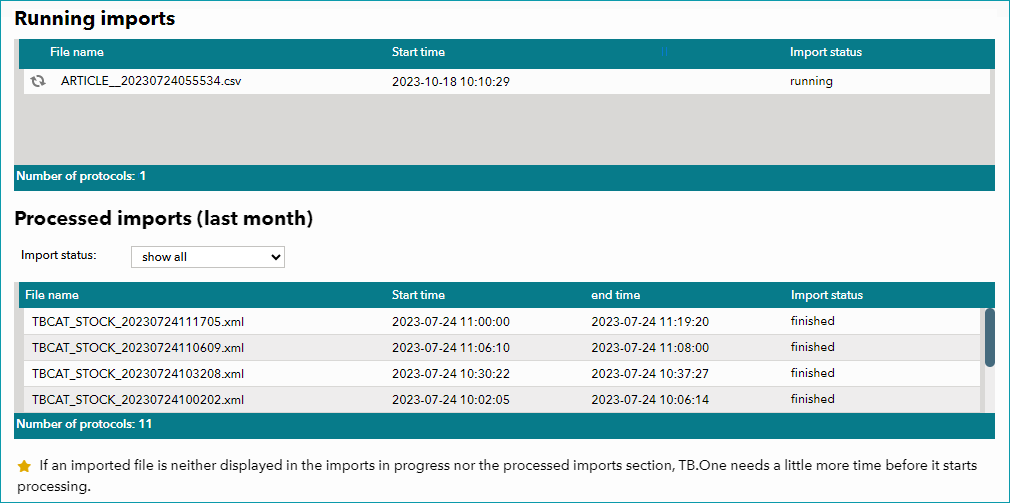
Fig.1: The Import Protocol menu
TIP: •You can filter the "Processed imports" section by import status using the drop-down menu at the top. •If a file you have uploaded to the "Input" directory is not displayed under "Running imports" or "Processed imports", TB.One has not started processing the file yet. It will be processed with the next scheduled import. |