TB.One > Media > Providing and Managing Media via Import > Providing and Managing Media via Import - Overview
Providing and Managing Media via Import - Overview
ATTENTION: |
TIP: •Referencing media in the import file via URL •Uploading zip-compressed media and referencing them via the file name in the import |
Which method is suitable for you primarily depends on what conditions you can fulfill and which method you prefer:
Delivery via URL |
ZIP-Compressed Delivery |
|||
|---|---|---|---|---|
Condition |
You have a server (e. g. an online shop or an image server), that can be reached by external parties without a password. |
You have a storage medium (e.g. a local hard disk or a flash drive), on which the media are saved. |
||
Method |
During the import process, TB.One loads the media via the supplied URL and temporarily saves them on the Tradebyte servers. |
1.Upload your ZIP-compressed media via SFTP to the "/in" incoming directory. The file name must correspond to the format "MEDIA_*" and must end with ".zip". Usually the * place-holder should be replaced with a timestamp (example: MEDIA_20150313_0923.zip). The delivered ZIP file will be extracted into the folder "sync/media" after import.
2.The media in the import file can be called up using folder referencing.
|
The size limit per file for uploading via the interface is 10 MB. Larger ZIP files must be transferred via SFTP. Please provide your images with RGB colour spectrum and in the highest possible resolution. Images are reduced to a maximum size of 3000 pixels on the longer edge in TB.One, the shorter edge is scaled proportionallly. If the channel requires a lower resolution, TB.One automatically reduces the size.
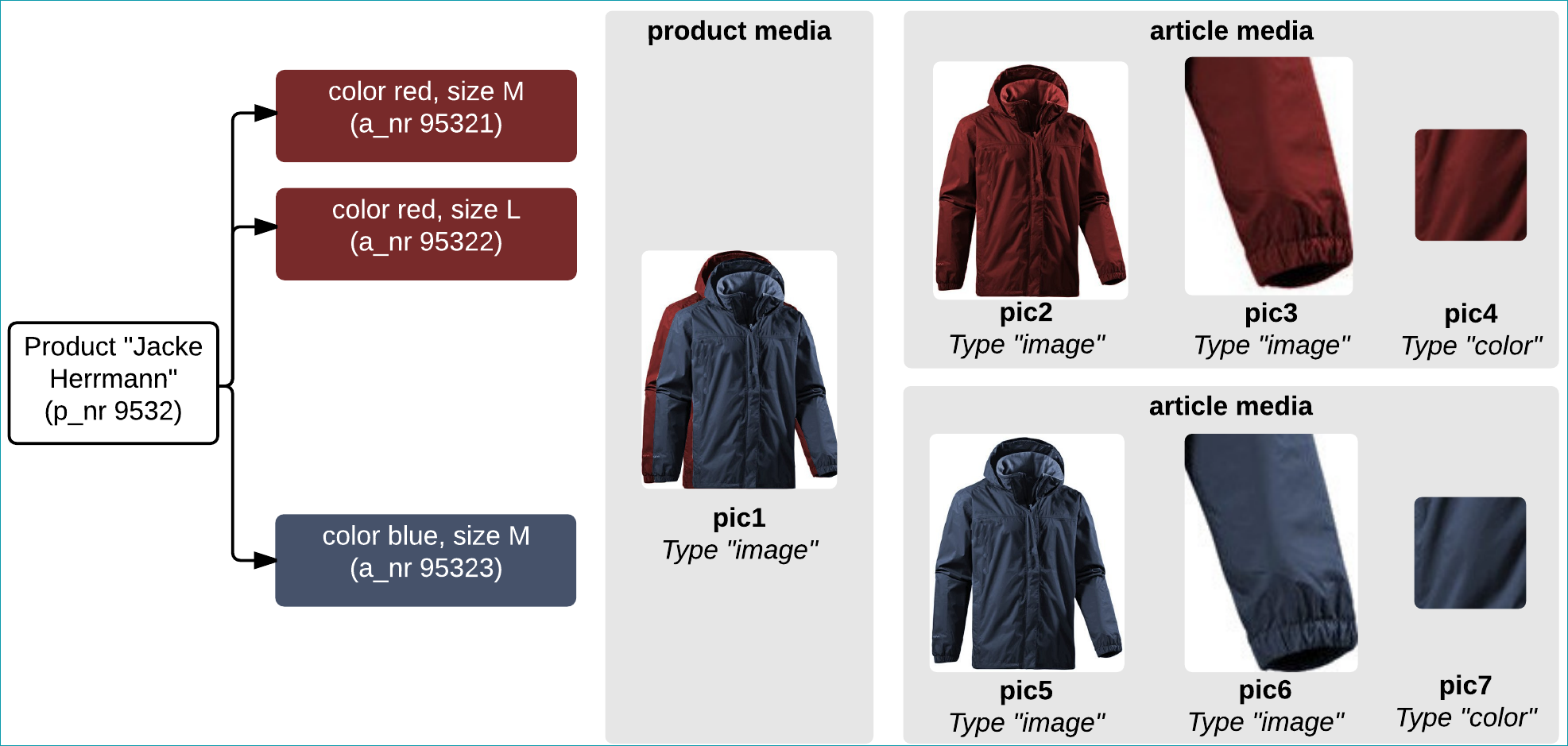
Regardless of the process selected, please note that in general, a distinction is made between product and article media. Product media are e.g. pictures of a pile of T-Shirts in different colours. A piece of article media would e.g. be the image for one colour (variant).
TIP: |