Marketplaces > Marketplaces A-F > Bol.com > FAQ > How to authenticate with the bol.com OAUTH 2.0 Authentication
How to authenticate with the bol.com OAUTH 2.0 Authentication
bol.com OAUTH 2.0 Authentication is mandatory for the connection of your bol.com account with TB.One.
TIP: How wo authenticate without errors |
ATTENTION: Authenticate every 18 month. |
1. Open the channel settings at "Channels > bol.com (BE/NL) > Settings". On the tab "System settings", you will find the entry "Bol OAuth". There, click on the link "Grant access".

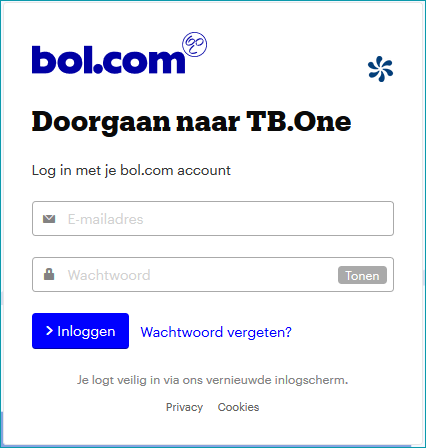
2. You will be forwarded to bol.com in a new window. Log in with your bol.com credentials and configure the settings exactly as shown in the right screenshot.
|
|
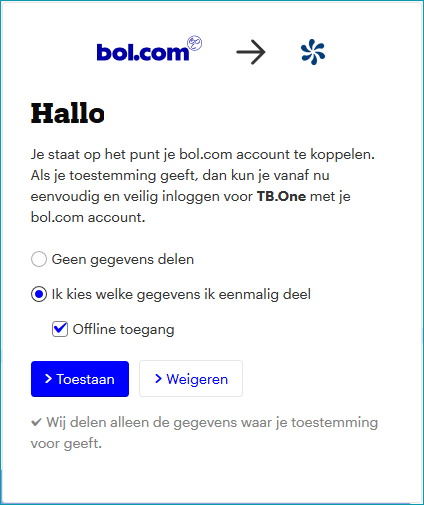
3. To complete the authentication, click on the blue button ">Toestaan". This concludes the authentication.
4. In TB.One, the message "Bol – Access granted successfully" will be displayed at the top of the screen.
