Marketplaces > Marketplaces A-F > Bol.com > FAQ > How to create the Economic Operator for bol.com
How to create the Economic Operator for bol.com
The specification of an economic operator is mandatory to be compliant with GPSR regulation.
Create and maintain an economic operator for your assortment:
1. Go to "Basic data > Addresses".
2. Click on "Create new address" in the page actions.
3. Select "Economic Operator" from the "Address type" drop-down menu: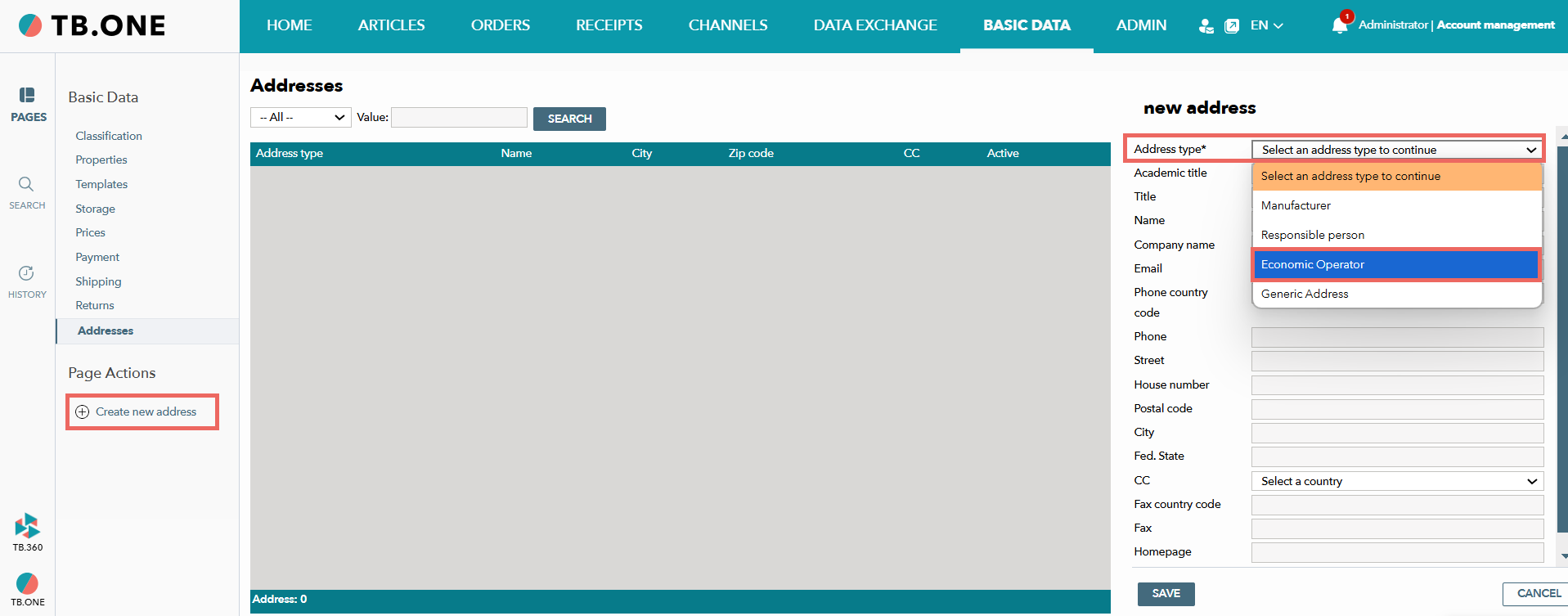
4. Enter the address and contact details in the editing window.
5. Save your details and your economic operator will appear in the list: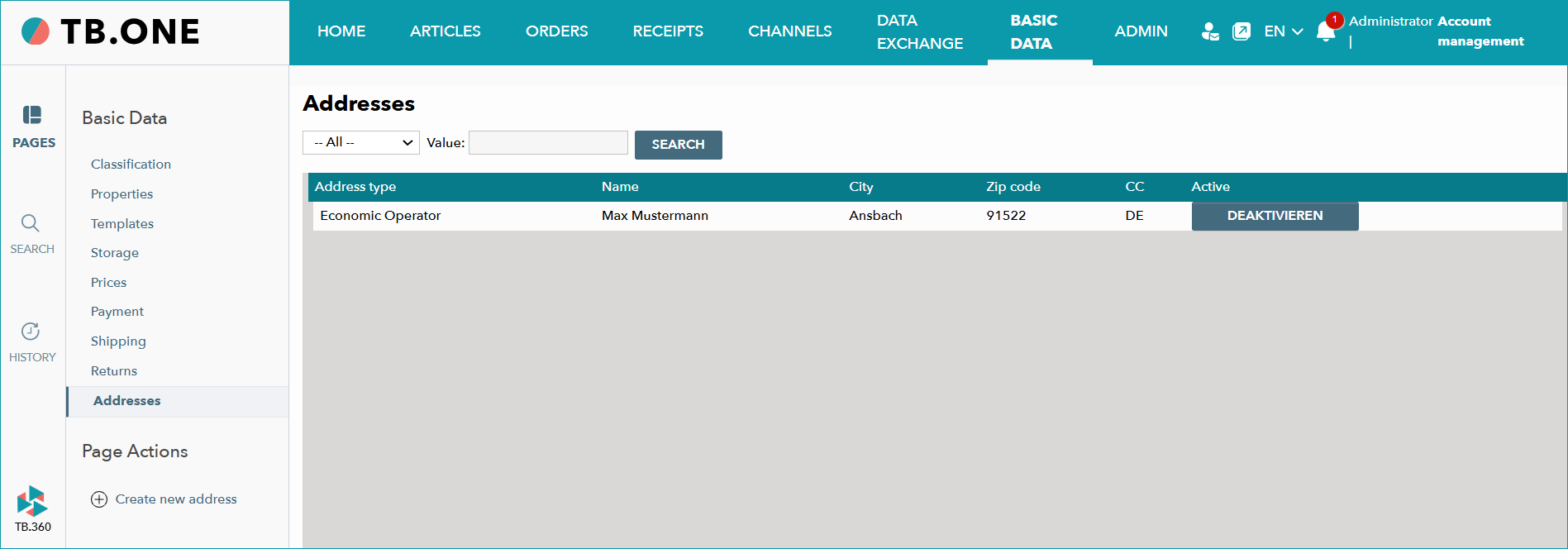
Transfer the economic operator to bol:
1. Go to "Channels > [Your bol channel] > Settings" and switch to the “Address assignment” tab. The address for your economic operator will appear there.
2. Make sure that the checkbox in the "Activation" column is activated.
Tip: Before you continue, the address for the economic operator must be validated by bol and be active. You can see the status in the "BOL status" column:
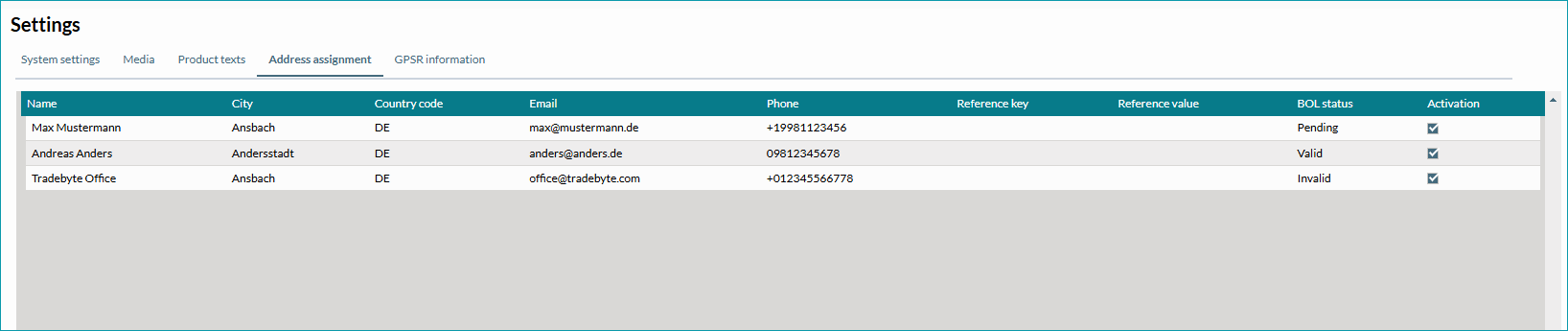
•Pending: bol is checking the address.
•Valid: The address has been successfully checked by bol and is active.
•Invalid: The address has been rejected by bol. Check your details and contact bol directly if this is the case.
3. Switch to the “GPSR information” tab.
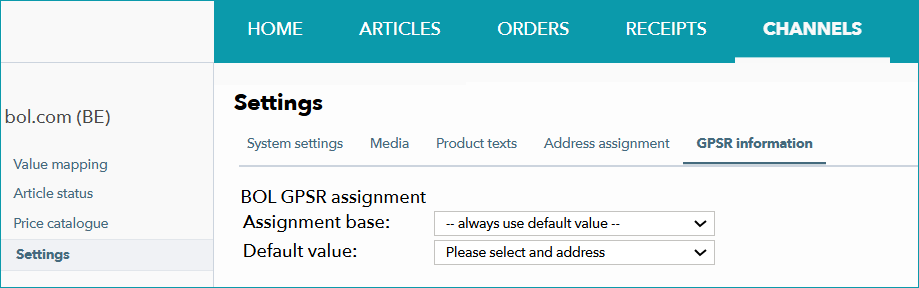
4. In the “Assignment base” section, choose a product property that you will use as the base for assigning
economic operators. We recommend using the brand.
5. In the section “Default value” select the default economic operator.
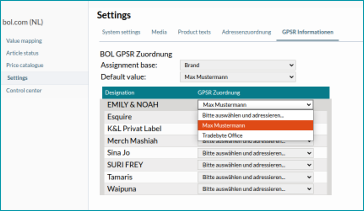
Tip: You can define exceptions to the rule in the list below.
6. Save your assignment.