TB.One > Product and Article Data > Data Quality & Error Management > Article Status Report (ASR) > Article Status Report (ASR) - Overview
Article Status Report (ASR) - Overview
The Article Status Report (ASR) is an additional tool for TB.One/TB.Market.
This report provides brands and suppliers with an easy and precise overview of their product data's status at the channel.
Via the ASR, the channel answers the following questions:
▪Is the article online?
▪If not: Why is it offline?
The ASR indicates why an article could not go live on the channel.
While the Article Error Hub shows which data sets could not be exported, the ASR informs you about errors occurring at the channel and preventing the go-live after TB.One has exported the data. Since the ASR lets you know the errors' causes, you can use it to derive precise measures for error resolution.
ASR FLOWCHART
The channel creates the ASR and provides it in TB.One/TB.Market. It is available as a JSON file in the channel settings. You can download the original JSON file to create further reports in your system and take action based on the report's information.

ASR DOWNLOAD
Access the Article Status Reports for each channel at "Channels > [Channel name] > Article status".
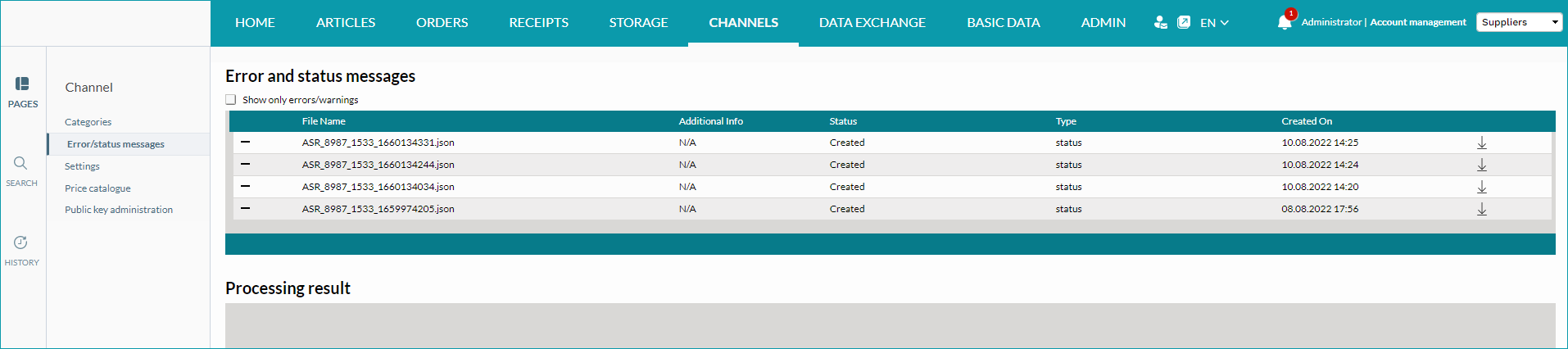
Download your ASR by clicking on the  icon.
icon.

TIP:
ASR_[Account-ID]_[Channel-ID]_[timestamp].json |
Click on the links below to gain insights on the ASR structure or view an example JSON:
For further information, see also:
•Proof of data quality - overview