TB.One > Setup, Configuration & User Accounts > FAQ - Tradebyte Invoices & Contracts > Where are my Tradebyte Invoices and Monthly Reports?
Where are my Tradebyte Invoices and Monthly Reports?
Tradebyte does not send paper invoices. All invoices are provided in digital form.
TIP: •All rights except user administration •Finance •Administator Users with the role "Finance" automatically receive invoices via email. |
1.Click on the TB.One icon at the bottom of the left sidebar.
2.Select "Basic settings" in the pop-up menu.
3.Select the tab "Pages" in the left sidebar and go to "Invoices".
Here, you can retrieve invoices, monthly reports, and cancellation invoices. To download multiple files at once, select them with the checkboxes and click "Download".
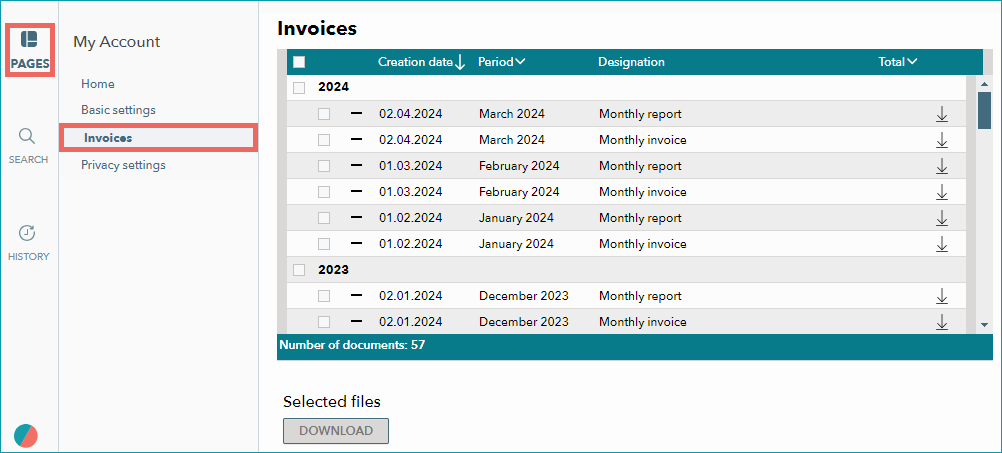
Accessing invoices under "Basic Settings > My Account"
TIP: The icon Note that these indicators only refer to your own user account. They don't tell you what other users have done. |
 shows that you have previously opened or downloaded a file.
 shows that you have not opened or downloaded the file yet.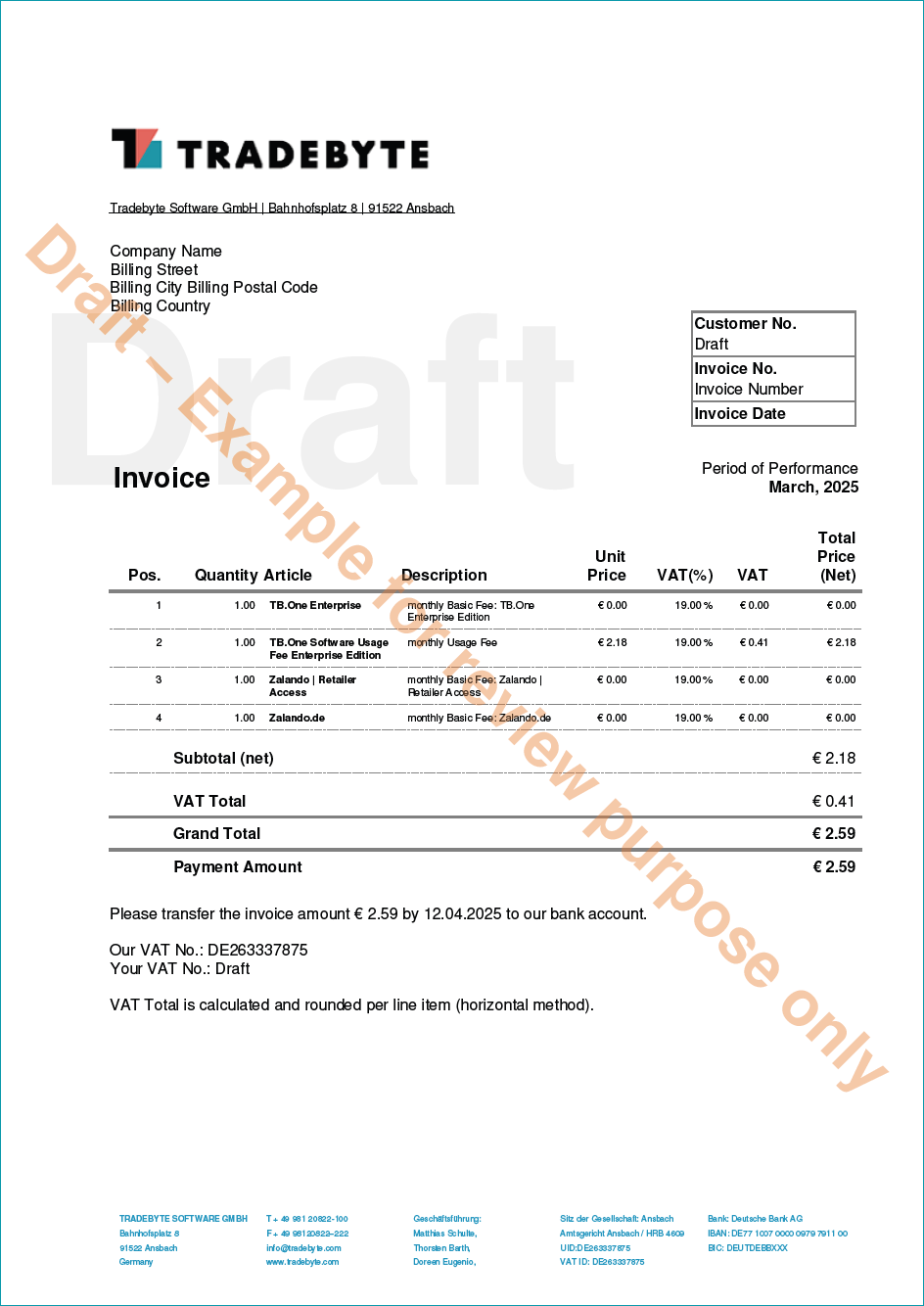
Sample invoice
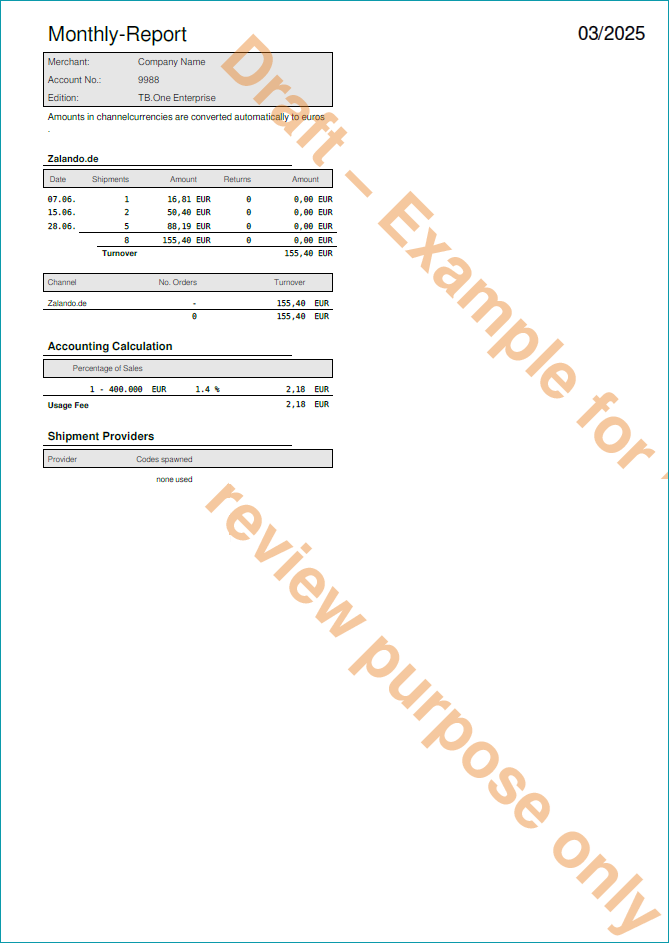
Monthly Report