TB.One > Import & Export > Import Errors > Import Errors and the Archive
Import Errors and the Archive
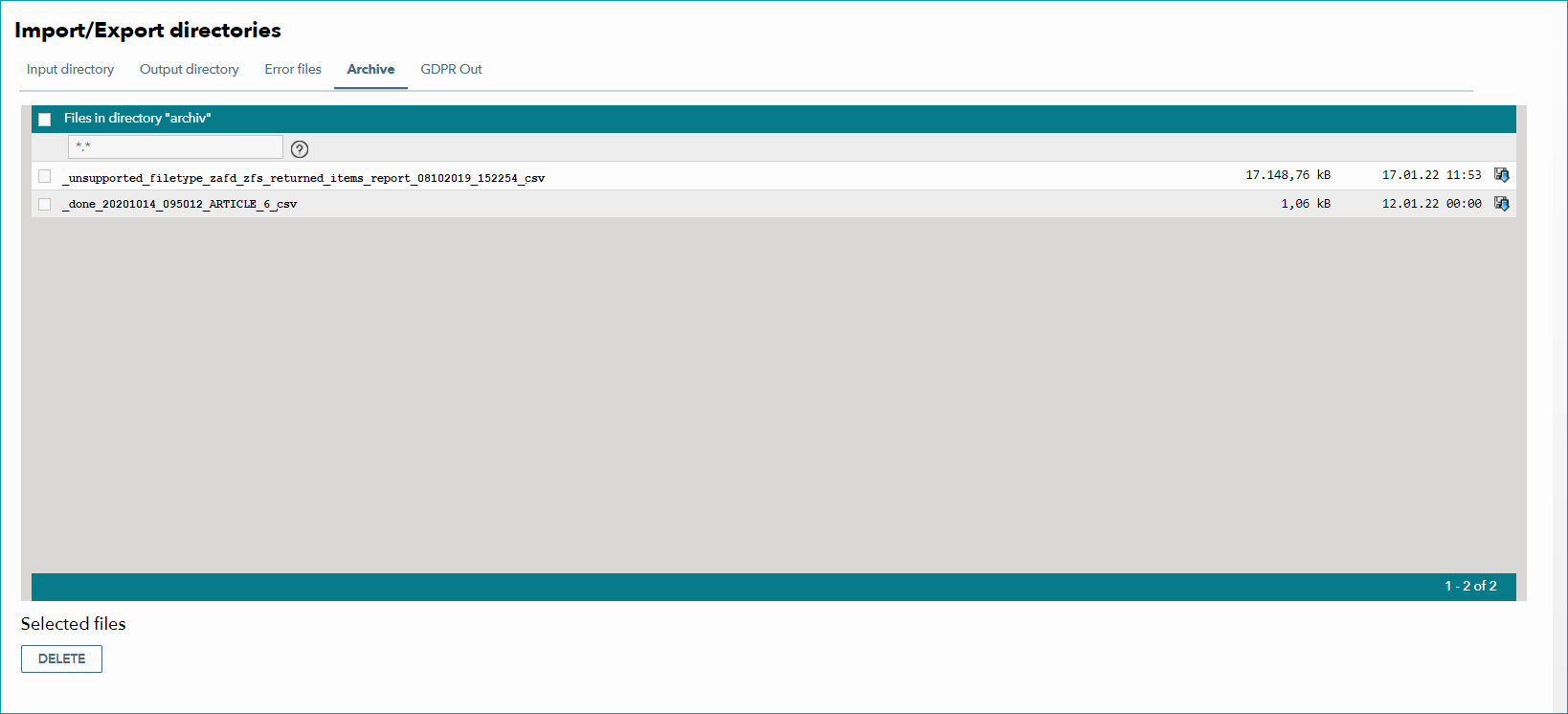
During the import of product and article data via CSV or XML (TB.Cat), the processing of some import files may (entirely or partially) fail. You can determine whether a file was processed correctly by the name TB.One assigns to its archived copy. The archive in which the import files are stored can be found at "Data exchange > Directories > Archive".
1. File Names in the Archive
Files in the archive are named according to the following scheme:
"[Prefix]_yyyymmdd_hhmmss_[original file name].csv/xml" |
Section of the name |
Description |
|---|---|
Prefix |
The prefix shows whether your file was imported successfully. |
yyyymmdd |
Shows on which day the file was imported (year-month-day). |
hhmmss |
Shows at what time the file was imported (hour-minute-second). |
Original file name |
Shows how the file was named before it was moved to the archive. |
EXAMPLE: "_done_20260116_144532_PANDA_20260116_143700.csv" |
2. The Prefixes
The names of archived files can have the following prefixes:
Prefix |
Description |
|
|---|---|---|
_done |
The file was processed successfully. |
|
_ignore_dup |
The file was not processed because it is a duplicate. Its contents are identical to the previous file of the same type that was imported. If you change the file's content (for example, by activating/deactivating a single product) it is no longer considered a duplicate and TB.One will import it.
|
|
_done_with_errors |
This prefix can mean one of two things: a)The file was not imported because it is structurally invalid. b)The file contains errors and was only processed partially.
|
|
_unsupported_filetype |
The file does not adhere to the naming conventions. It could not be processed. |
|
_ignore_empty |
Two scenarios can cause this prefix: a)The file was still being uploaded when the import process began. b)The imported file did not contain any data. |
|
_archived |
One of TB.One's automated processes has moved this file to the archive. |
3. E-MAIL NOTIFICATION FOR IMPORT ERRORS
You can have TB.One automatically send e-mail notifications to a predefined list of people whenever an import error occurs. This list can be configured in the menu "Admin > User > Mailing lists". The mailing list used in this case is titled "Import errors".
If any errors occur during the import (prefix "_done_with_errors"), TB.One automatically sends an e-mail to all recipients you have indicated in the mailing list. Apart from the name of the affected file, this e-mail also contains a short description that may help you resolve the error.
The creation of mailing lists is described here.
For further information, see also:
•Import via TB.One interfaces