TB.One > Import & Export > Master Data Import via CSV > Importing Internal Categories via CSV
Importing Internal Categories via CSV
Internal categories can be used to filter your products and articles for bulk editing or to assign identical values to similar properties (e.g. channel categories or IntraStat numbers). This is especially useful for manual master data maintenance and if there are many categories. Internal categories can either be imported with a tree structure or with a flat hierarchy. Note that the individual categories will be sorted alphabetically in TB.One.
The import CSV must be saved in Unicode (UTF-8). Use semicolons as column separators.
FLAT STRUCTURE
A flat structure means, that you do not assign sub-levels to your categories. Instead, categories are independent from each other and sub-categories can only be identified by name.
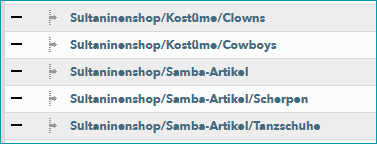
With a flat structure, you can sort products into any category level. You cannot use the column separator "|" for imports. If you add a "|" after the category name, the following text is interpreted as the import key.
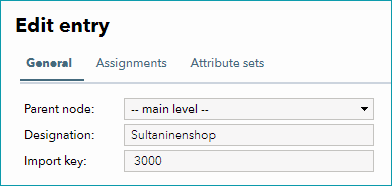
Create a CSV file styled as follows:
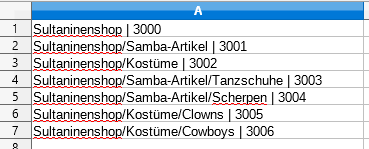
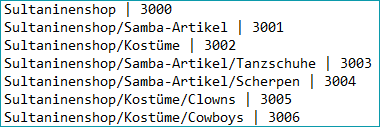
You can use any separator for the category levels except for semicolon (;) and pipe (|). If you separate the structural levels with "|", anything following "Sultaninenshop" would be interpreted as the import key.
Therefore, DO NOT structure your CSV file as follows:
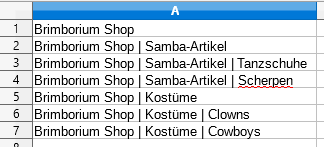
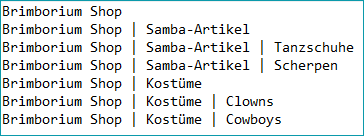
TREE STRUCTURE
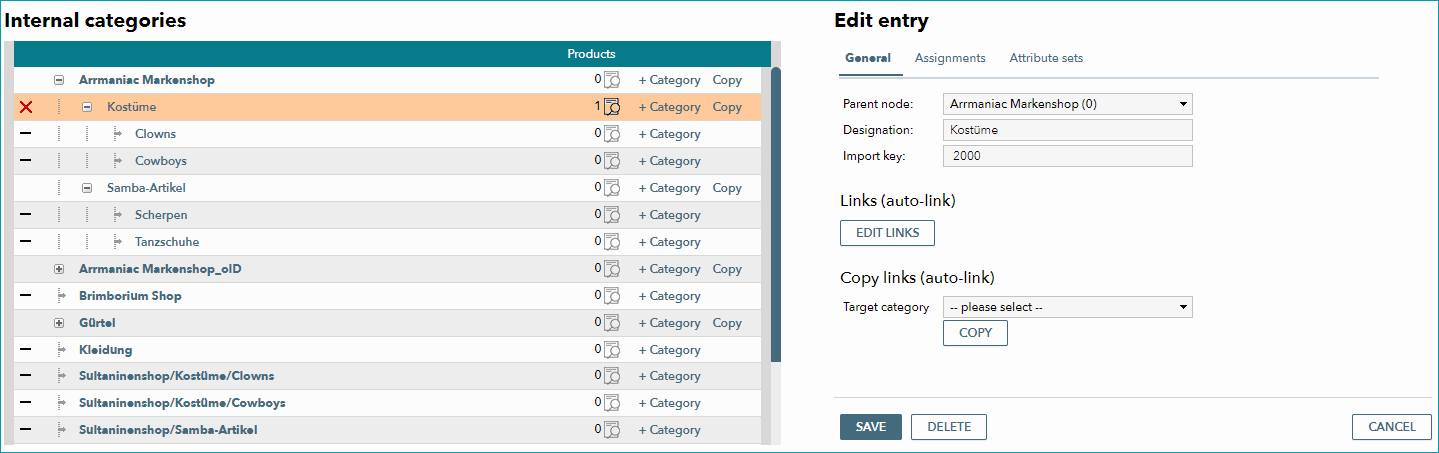
With a tree structure, parent and child nodes can be easily identified in TB.One's UI ("Basic data > Classification > Internal categories"). Products can only be assigned to the lowest category levels. Any text supplied after "|" is interpreted as the import key.
Create a CSV file structured in one of the following ways:
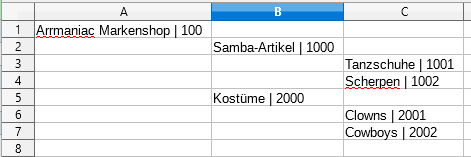
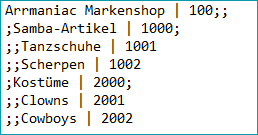
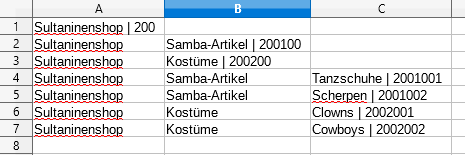
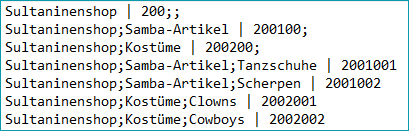
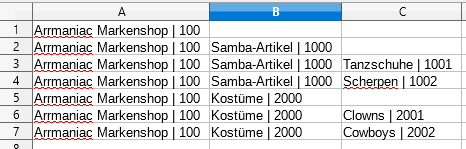
For the second variant, the import key is only added at the first occurrence of the respective node. This means, that each import key is only provided once. If import keys are added for each category in each row, the file would not be imported correctly.
DO NOT structure the import file as follows:
For further information, see also:
•Importing internal categories via XML