ATTENTION:
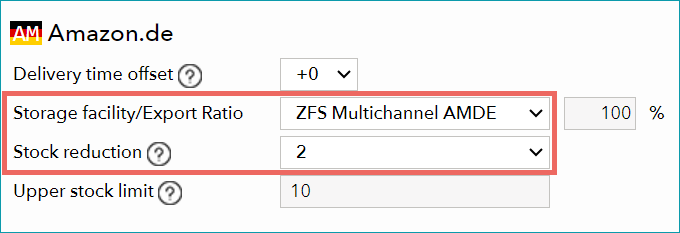
Ensure that the correct ZEOS warehouse ("ZFS Multichannel") is selected for your ZEOS channels in the field "Storage facility/Export ratio".
TIP:
Set a stock reduction of "2" (see Fig.1). The ZEOSchannels share one stock pool, and it is possible that an article is ordered simultaneously on multiple channels. The stock reduction will help you avoid oversale and cancellations. Articles that are left over due to the stock reduction are sold via ZFS.