TB.One > Order Data and Order Processing > Order Processing in TB.One > Order Detail View > Order Confirmation
Order Confirmation
Depending on the channel, it may be necessary to issue order confirmations before creating dispatch advices. This way, you notify the channel that you will deliver the goods and you can specify the delivery date. To confirm the order, select the tab "Order confirmation" in the order detail view (accessed by opening an order via the order list at "Orders > Order list").
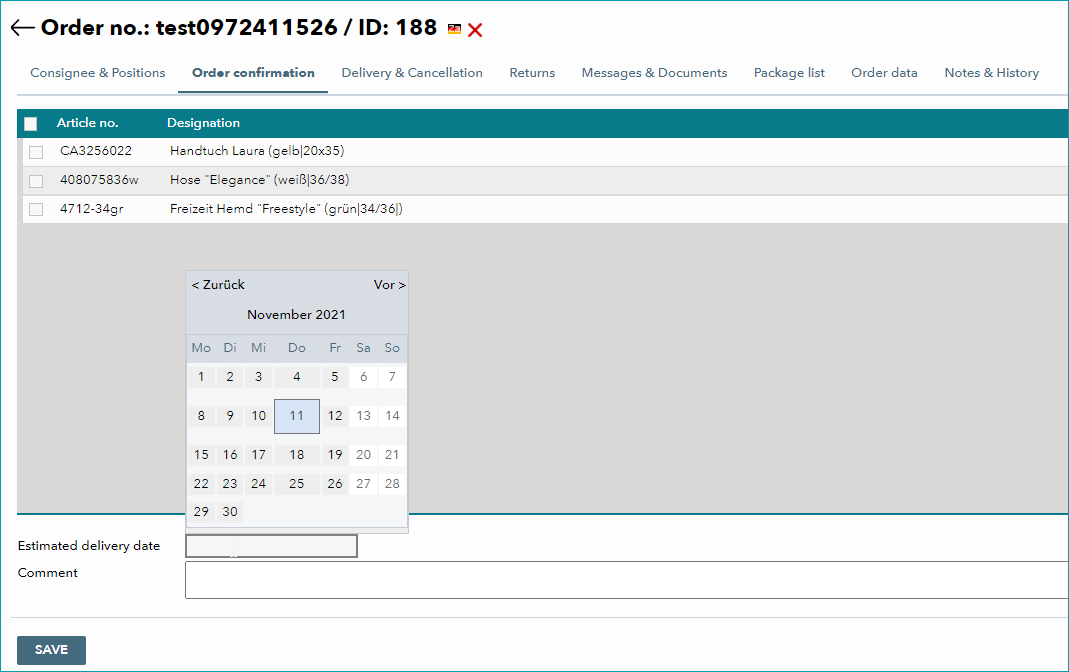
All unprocessed items are listed on this tab. Select items using the checkbox on the left. In the lower section, you can enter the estimated delivery date or add a comment. Click on "Save" to confirm all selected items. The confirmation can then be viewed on the tab "Messages & Documents". Unconfirmed items will remain visible on the page until a confirmation, cancellation or dispatch advice is created.
TIP: 1. Select items |
ATTENTION: |
For further information, see also:
•Manual order processing - overview