Units are created manually. They are required for creating base prices.
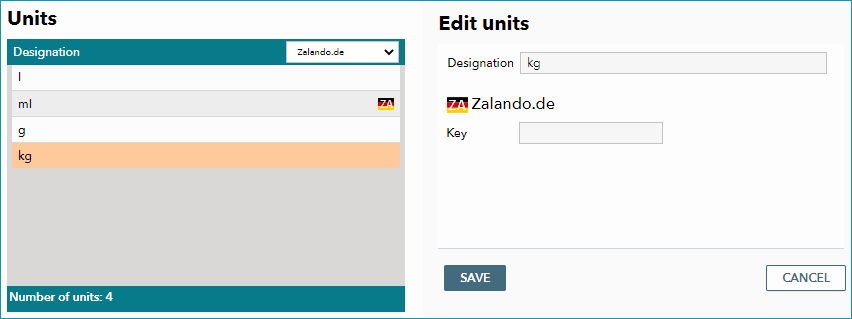
By default, the menu "Basic data > Prices > Units" already contains the units l (liters), ml (milliliters), g (grams), and kg (kilograms). New units can be created by selecting the tab "Pages" in the left navigation bar and clicking on "Create new unit". In the editing window, you need to enter a designation (i.e. the unit's abbreviation).
To use the unit at a channel, you have to enter the associated key. Request the keys from the channel and enter them in the corresponding free text fields or assign them in the drop-down menus (whether free text or drop-down fields are used depends on the channel). Not all channels support all units and some channels require additional details. Further information can be found on the respective channel's pages in the section "Channel documentation".
Save your settings.
The list of units can be used to check whether units already have been assigned a channel key. Select the channel you want to check from the drop-down list at the top. The channel icon (flag) will be displayed in the list if the unit already has a key for that channel.
For further information, see also:
•Defining base prices