TB.One > Product and Article Data > Product-Related Basic Data > Creating Base Prices
Creating Base Prices
TIP: The base prices themselves are calculated using the base price group selected for the article, the article's price, and the article's fill quantity. |
By default, some base price groups are already stored in TB.One. If you import products that are subject to the base price information requirement according to PAngV (German law), you have to provide the import key of the base price group and the fill quantity.
The base price groups can be created/edited at "Basic data > Prices > Base prices". They have to be configured manually, but can be assigned to articles via import.
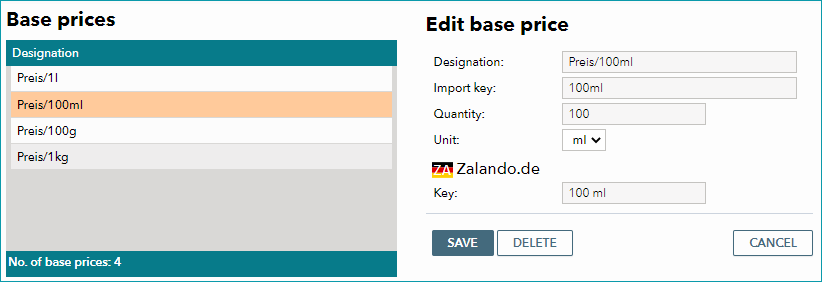
To add a new base price group, select the tab "Pages" from the left navigation bar and click on "Create new base price". Assign a meaningful designation that clearly states the amount and unit in question. If you assign base prices to articles per import, you need to define an import key here. Enter the reference amount on which the calculation of the base price will be based in the field "Quantity". Select one of the predefined units for the base price from the drop-down field "Unit". Save your settings.
To remove a base price, click the "Delete" button".
ATTENTION: |
Base prices are assigned to articles in the "price data" section of the article detail view:
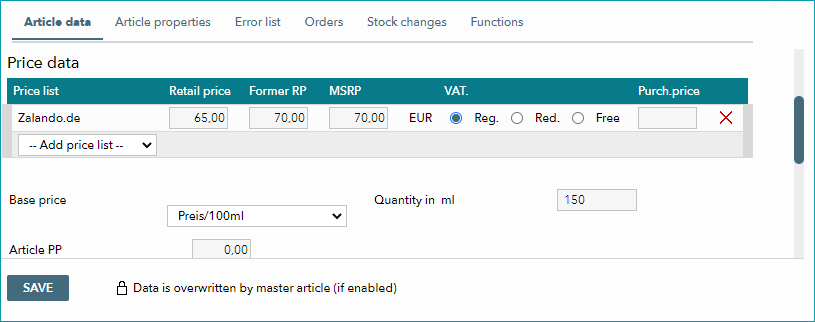
Select the base price from the drop-down and enter the quantity. The unit depends on the chosen base price and will be automatically selected. If one base price applies to all of a product's articles (i.e. the content/quantity is not variant forming) you may use the master article to assign the same base price information to all articles.
For further information, see also:
•Assigning base prices via CSV
•Assigning base prices via XML
•Defining units