TB.One > Product and Article Data > Manual Master Data Creation > Creating Articles > Creating an Article without Variants (Single Article)
Creating an Article without Variants (Single Article)
Even if your product has no variants, you need to create an article for technical reasons. However, you do not need variant dimensions in this case. All properties such as color or size must be indicated at the product.
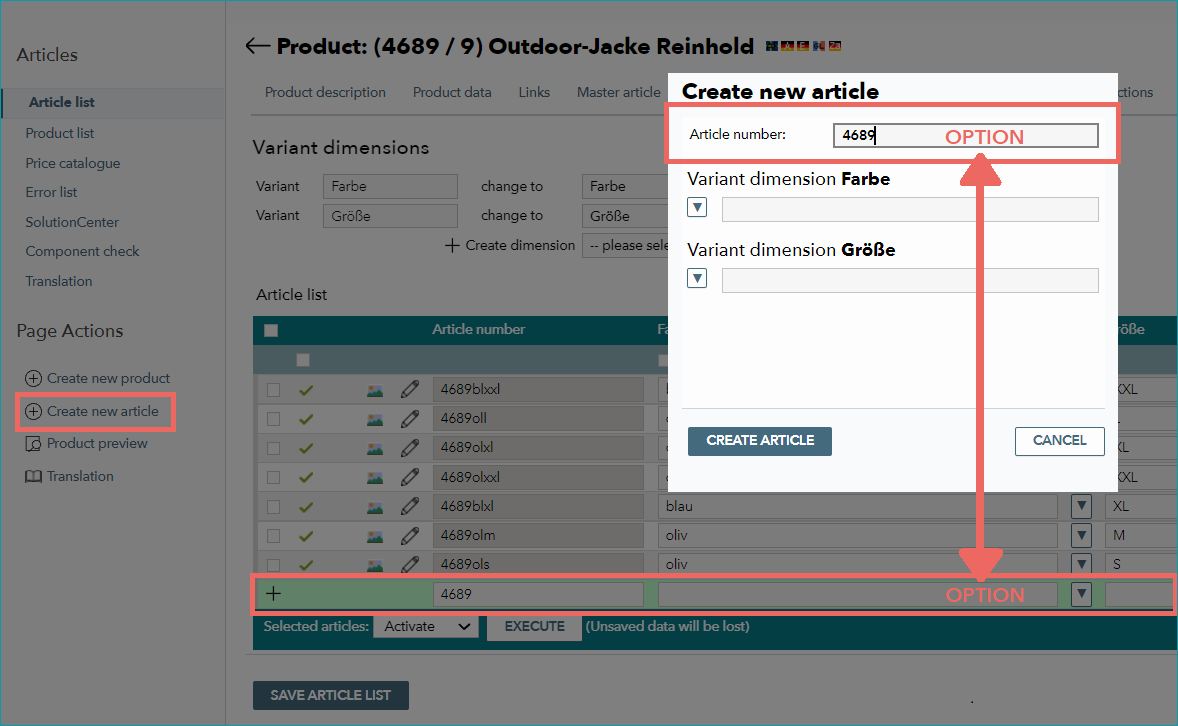
You need to provide an article number which is unique across all your articles. To do so, open the tab "Article list" in the product details. Enter the article number directly in the box "Article number" highlighted in green. Alternatively, you can use the editing window by selecting the tab "Pages" in the left navigation bar and clicking on "Create new article". Confirm by clicking "Save article list" or "Create article".
For further information, see also:
•Manual master data creation - overview