TB.One > Product and Article Data > Data Quality & Error Management > Article Error Hub > How to Solve Errors with the Error List
How to Solve Errors with the Error List
1) The table under "Articles > Article Error Hub" lists all errors per error category with a short error message. Click on "See Details" for more information.
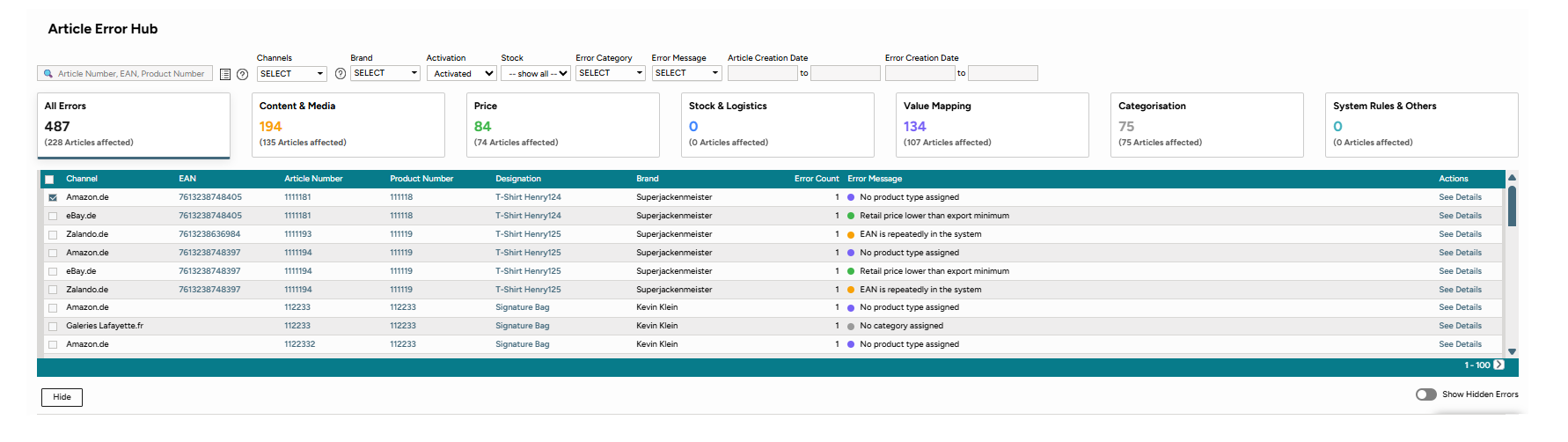
Fig.1: The error list
2) A click on "See details" opens a new window:
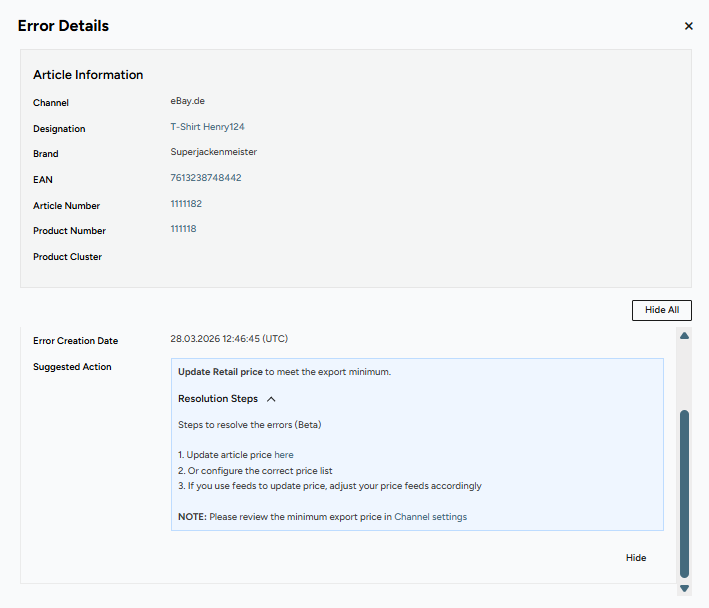
Fig.2: Error details
The Error Details will list
•Article Information
•All article and product errors with
othe affected category
oan error message
oan suggested action on how to solve the error.
oa step by step guide in the sections resolution steps.
TIP: How suggested actions help you solve errors |
3) Go through your errors. If you want to hide an error, click "Hide" or if you want to hide all errors for an article, click on "Hide all."
•They will then be removed from the error list until you decide to unhide them.
•After the error is resolved and passes validation in the next export, the error will disappear.
How to Hide and Unhide Errors in the Error List
TIP: Good to know •If you hide one affected article for a product level error, the errors on all other articles associated with that product will be hidden. •If you want to edit your errors in bulk, you can select all errors on a page at once. 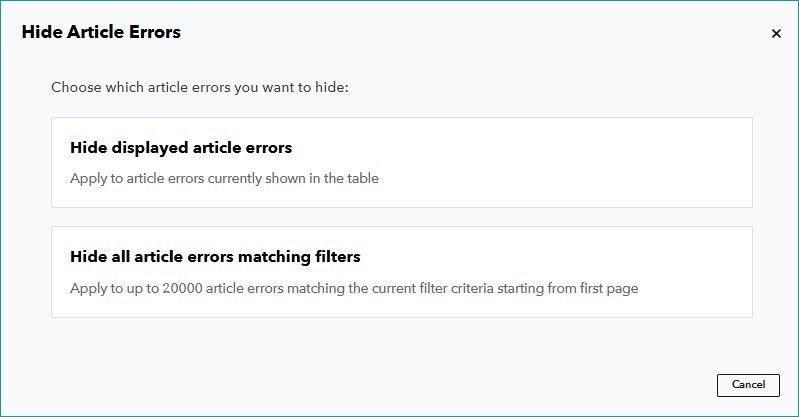 Fig.3: Hide article errors |
•Click on "Hide" to mark an specific error as hidden if you want to remove it from the error list.
•Switch between un-/hidden errors in the error list with the slider. Activate the slider on the bottom of the error list to show a table with your hidden errors: 

Fig.4: Hide/unhide errors
If you want to filter within in the table for hidden errors, use the filter section:

Fig.5: Search for hidden errors
Tip: Export your error list as a CSV file by clicking "Export current list" in the Page Actions.
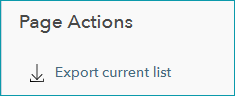
Fig.6: Export error list
The CSV export for errors ‘Hidden’ includes a timestamp for when the error was last marked as hidden as well.
In case, the error has not been resolved, the error will re-appear in the Article Error Hub after the article failed to be exported to the channel.
For further information, see also: