TB.One > Setup, Configuration & User Accounts > Configuring Documents > Order Data Sheet
Order Data Sheet
Order data sheets give an overview of the scope and contents of your orders and can be used for order processing.
How to configure your Order Data Sheet
1.Go to "Admin > System settings > Documents"
2.Go to the "Order data sheet" section.
3.Select either the compact (see Figures 1 and 2) or the detailed layout (see Figures 3 and 4).
a.For both layouts, you can also choose what the sorting of items is based on.
b.If you select the detailed layout, you may enable additional information, such as RP, EAN, weight and pack dimensions.
Examples:
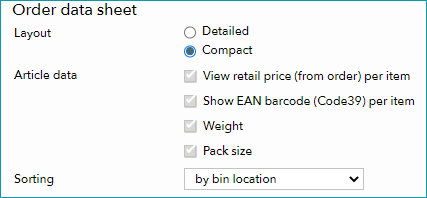 Fig.1: The compact layout in the settings. |
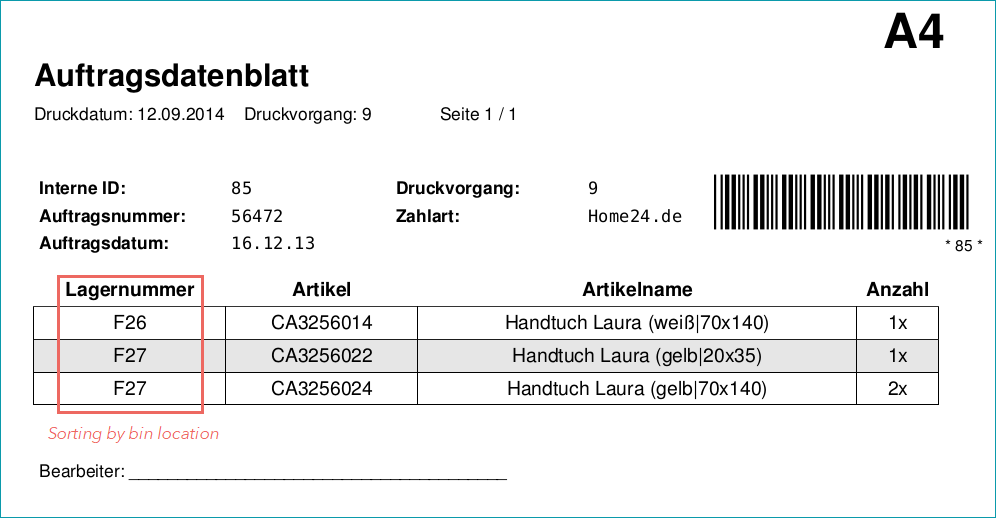 Fig.2: The order data sheet in compact layout. |
|---|---|
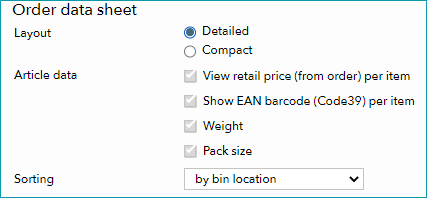 Fig.3: The detailed layout in the settings. |
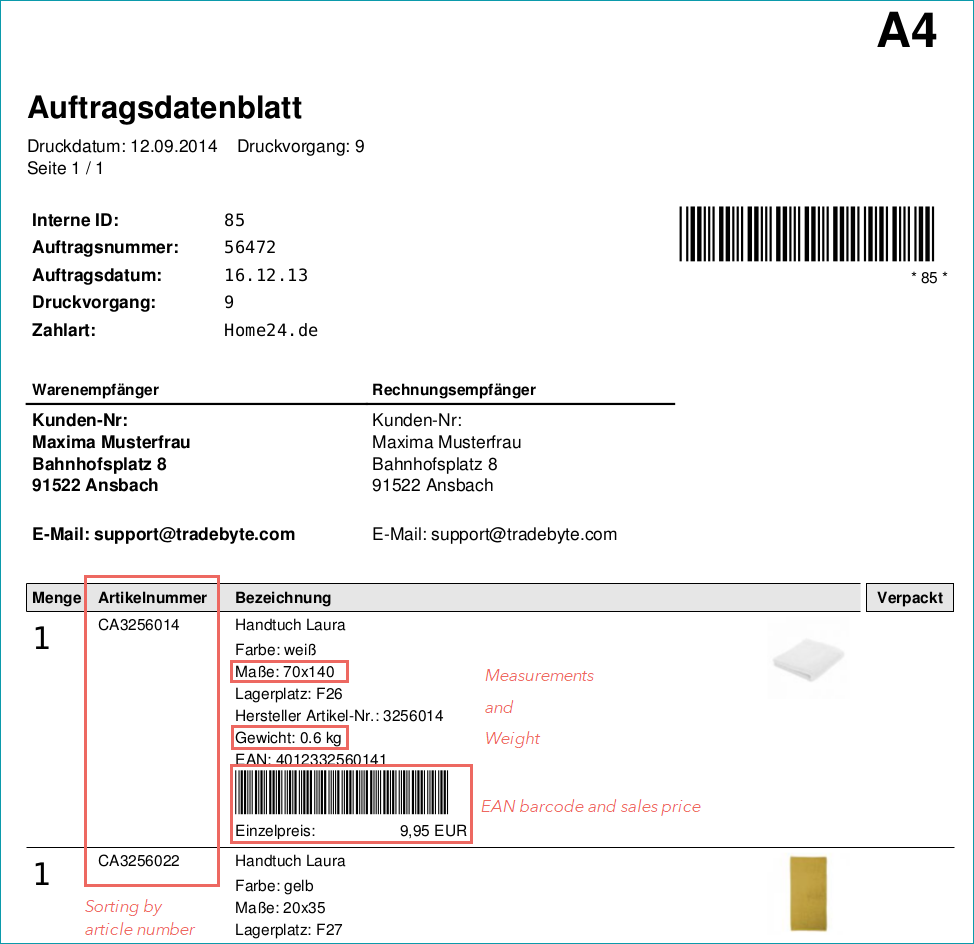 Fig.4: The order data sheet in detailed layout. |
For further information, see also: