TB.One > Order Data and Order Processing > FAQ - Order Data and Order Processing > How are Order Data Exchanged?
How are Order Data Exchanged?
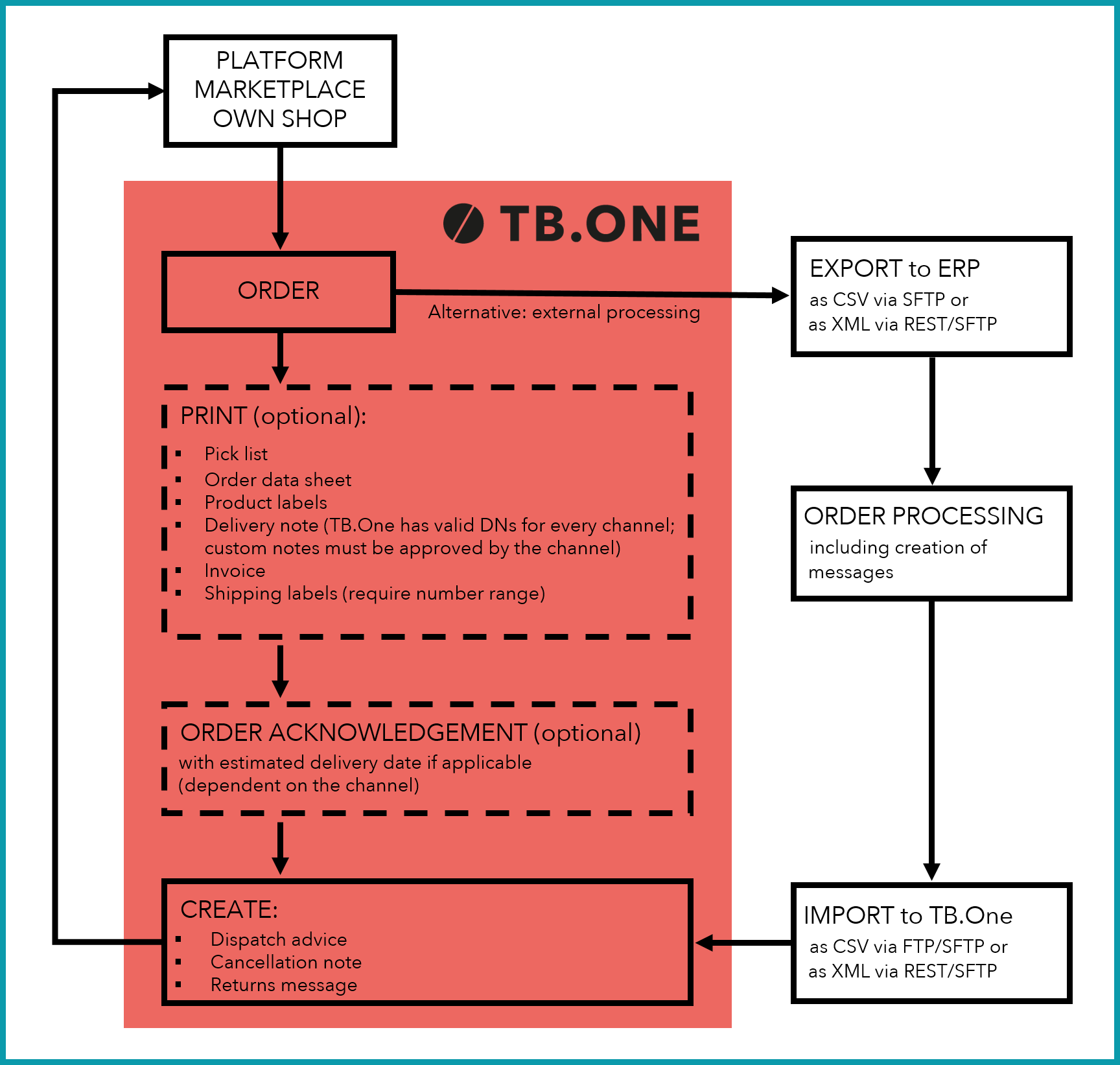
When one of the channels receives an order for your articles, it will send an order to TB.One. This is - depending on your settings made in the integration phase - exported directly to your ERP system or manually processed in TB.One. If you chose the export via REST, your system must return a message "order exported" to TB.One. At manual processing you edit the order either via the order list or via the scan desktop.
The following charts show the possibilities of the order data exchange at a glance. However, before you can exchange data with TB.One, the software's basic configurations have to be completed.
OPTIONS

PROCESS
For further information, see also:
•Manual order processing
•Order data exchange via CSV
•Order data exchange via XML