TB.One > Setup, Configuration & User Accounts > Dynamic Article List Filters > ACTIVATING DYNAMIC FILTERS
ACTIVATING DYNAMIC FILTERS
Before using “Dynamic filters”, this feature has to be activated for the TB.One account and for the account of each user.
ACTIVATION FOR TB.ONE
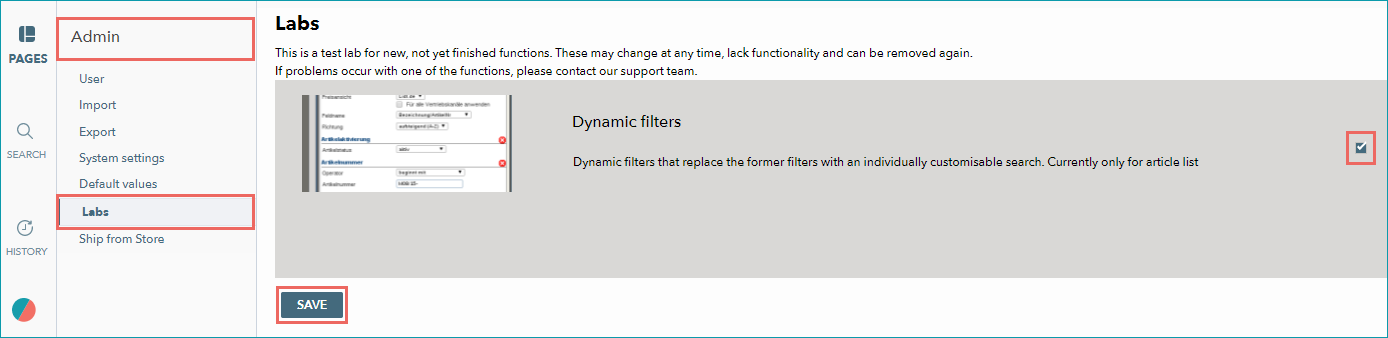
Ensure you have admin privileges, then navigate to the TB.One's labs: “Admin > Labs”. Mark the checkbox “Dynamic filters” and confirm with “SAVE”.
TIP: |
ACTIVATION FOR A USER ACCOUNT
The activation for each user account is done in the account settings:
▪Click on the TB.One icon at the bottom of the left sidebar
▪and select the option "Basic settings".
▪Then, open the menu "Lab settings" under "My Account".
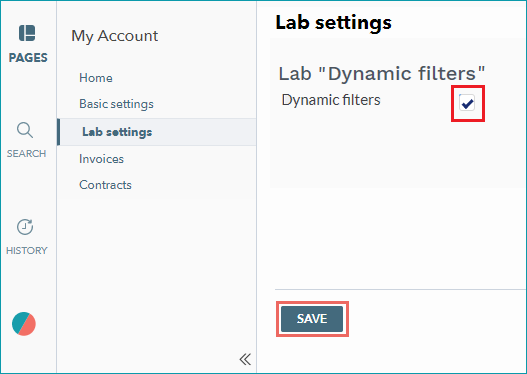
▪Mark the checkbox for the lab “Dynamic filters” and confirm this selection with “SAVE”.
TIP: |
OPEN THE FILTER MENU
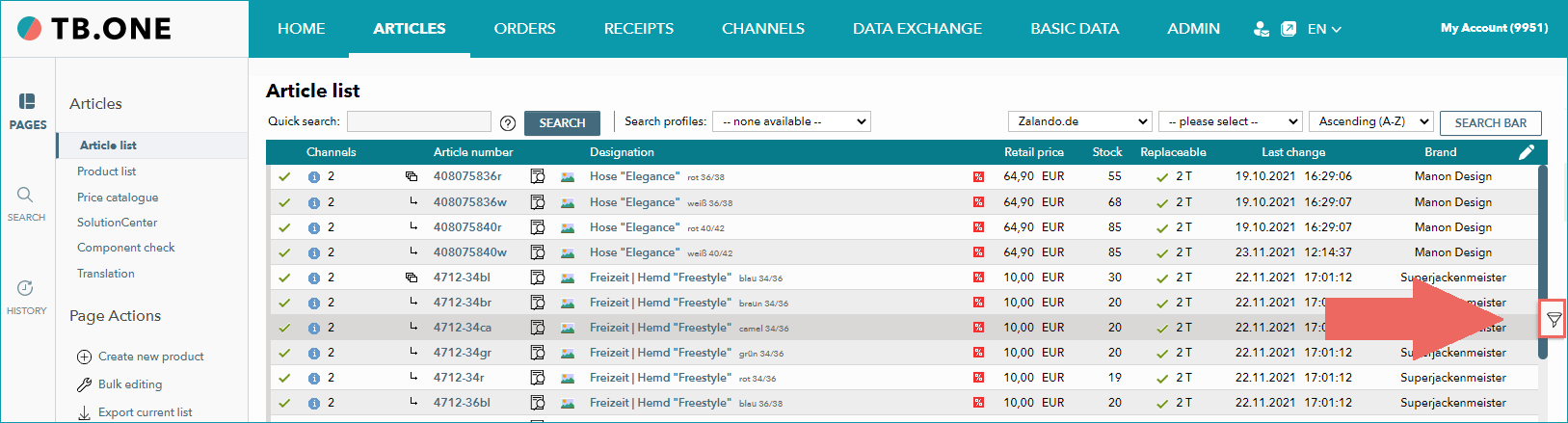
Once the feature “Dynamic filters” is active, you can find the filter menu button  to the right edge of the article list (“Articles > Article list”).
TIP: |
View of the filter menu “folded in” (hidden):
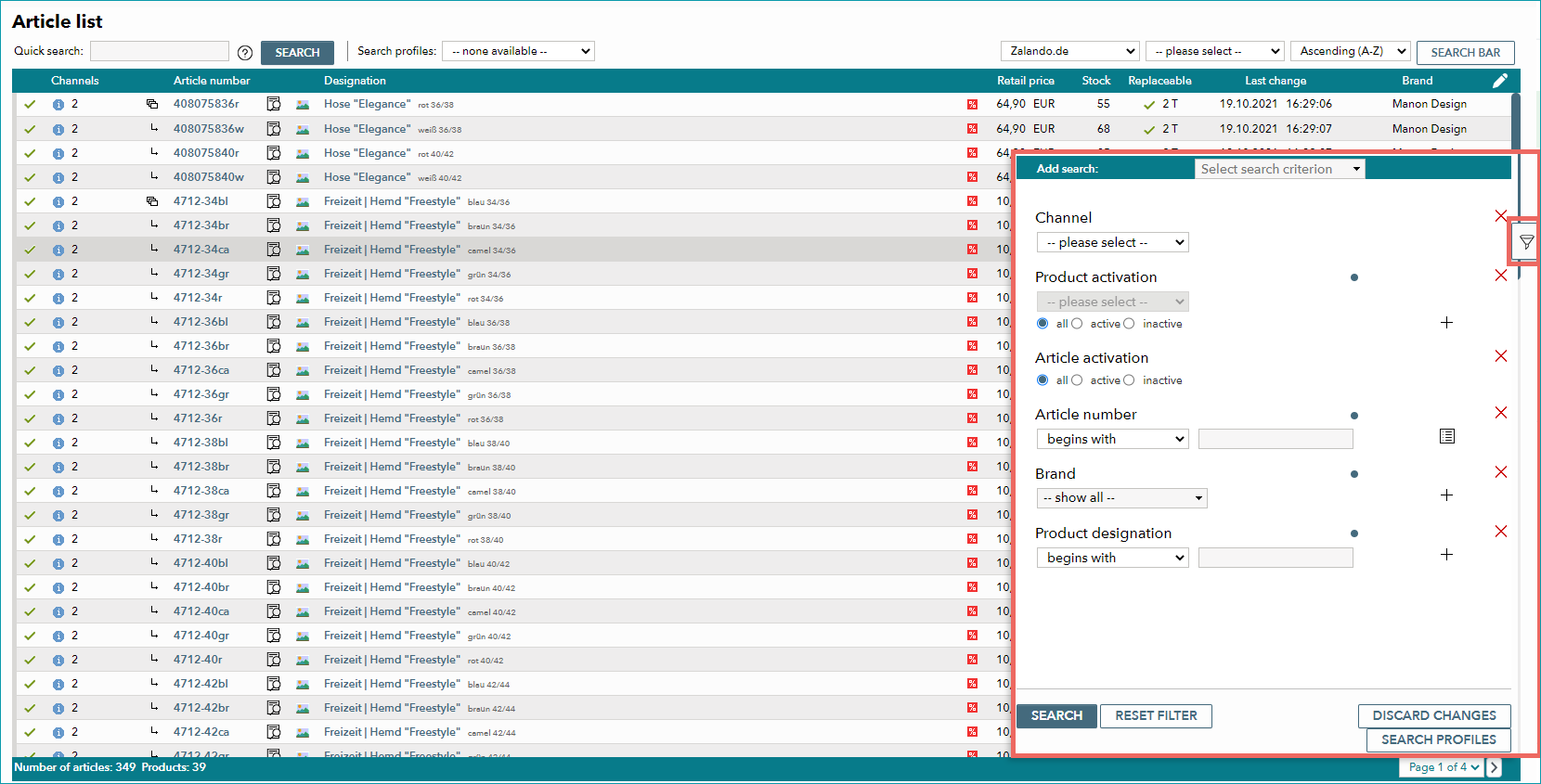
View of the filter menu “folded out” :
See also: