TB.One > Setup, Configuration & User Accounts > Dynamic Storage Management > ACTIVATION OF THE DYNAMIC STORAGE MANAGEMENT
ACTIVATION OF THE DYNAMIC STORAGE MANAGEMENT
By default, the dynamic storage management is deactivated. Please contact Tradebyte's support if you would like to activate the feature. Once the feature has been activated, you will see a new menu item titled "Storage" with the sub-menus "Articles in stock" and "Goods receipt". At "Basic data > Storage", the menu item "Dynamic bin locations" is added.
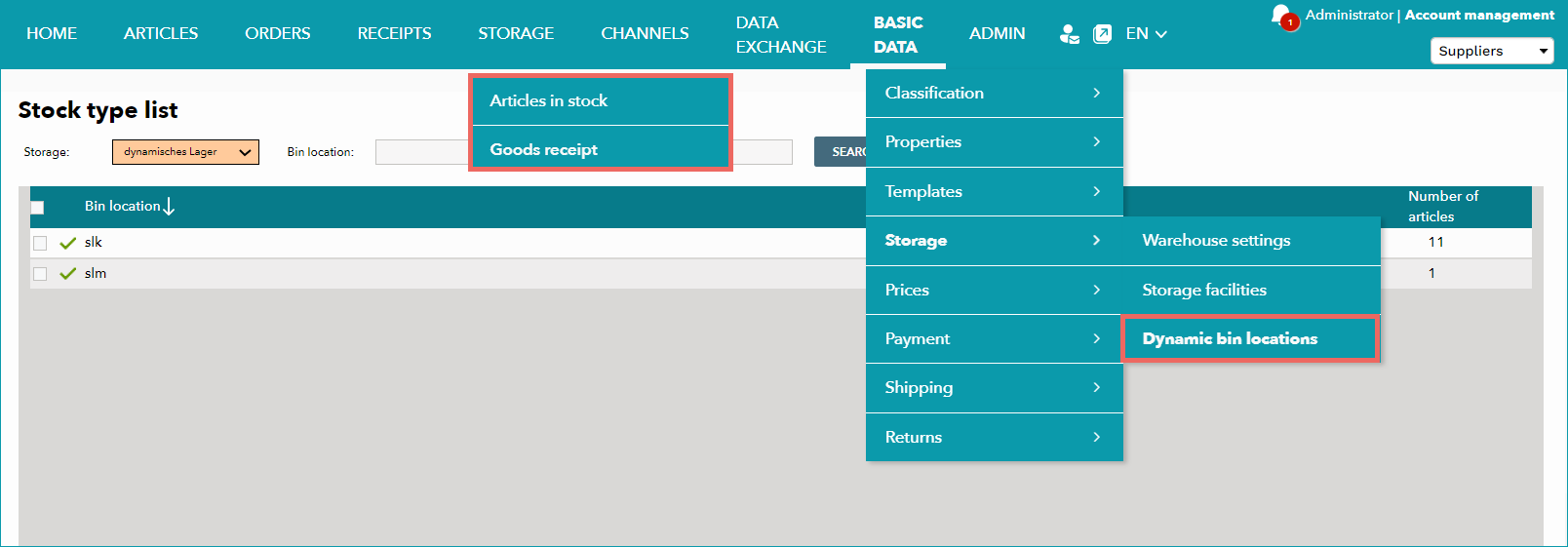
SOME OF MENUS NOW CONTAIN ADDITIONAL SETTINGS AS PICTURED IN THE FOLLOWING SCREENSHOTS: |
|
|---|---|
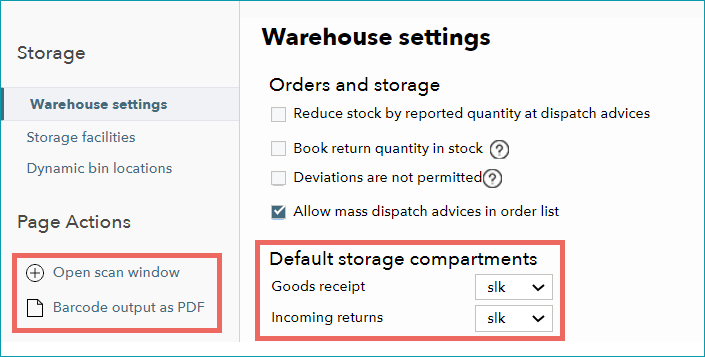 |
At "Basic data > Storage > Warehouse settings" a section titled "Default storage compartments" and the options "Open scan window" and "Barcode output as PDF". The latter enables you to directly print barcodes for storage management. |
 |
You now can select a returns storage shelf at "Admin > System settings > Order processing" in the section "Menu item Scan-Desktop". |
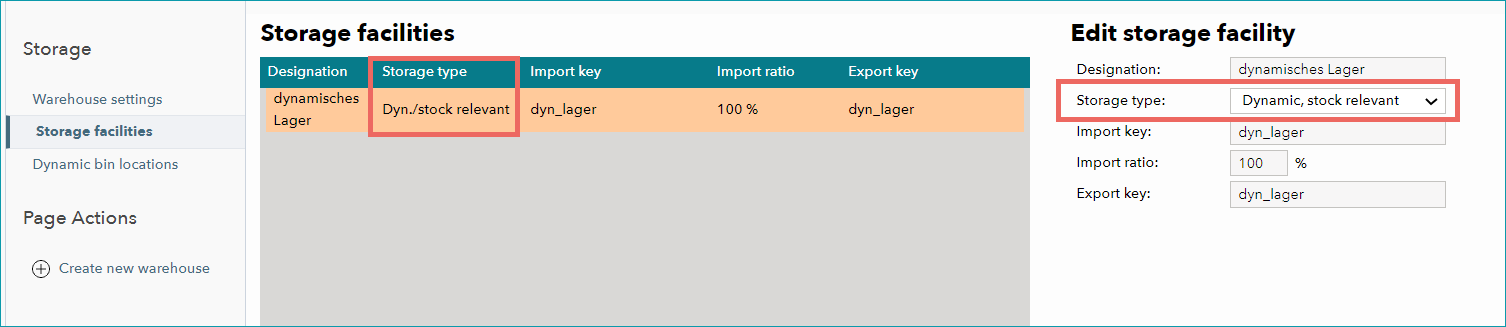 |
You can choose a storage type for storage facilities at "Basic data > Storage > Storage facilities". |
•Continue the configuration by defining dynamic storage facilities.
For further information, see also: