TB.One > Setup, Configuration & User Accounts > Dynamic Storage Management > CREATING LABELS FOR BIN LOCATIONS
CREATING LABELS FOR BIN LOCATIONS
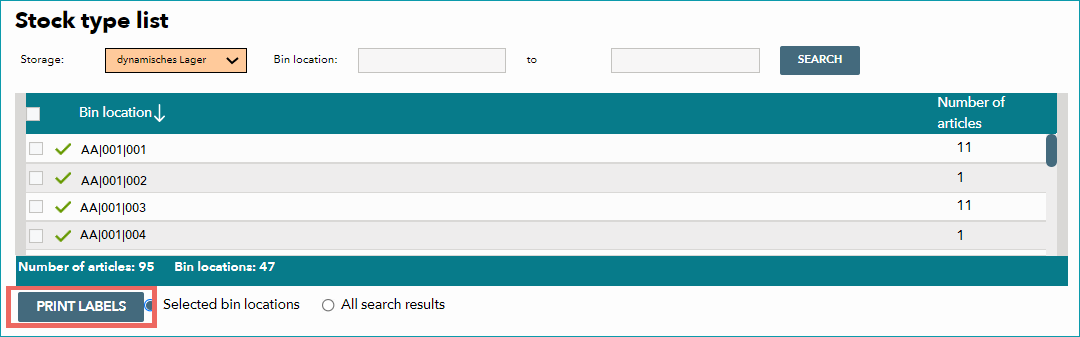
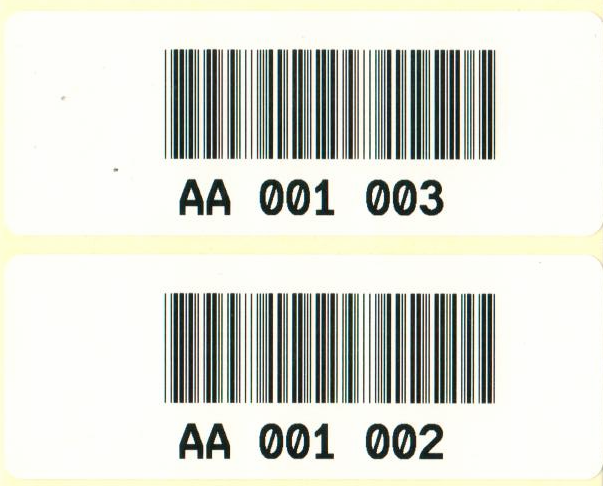
For chaotic storage management, each bin location is labeled with a unique bar code. This facilitates stock management, as it is easy to keep track of articles by logging them in and out of bin locations using a hand-held scanner. You can print the necessary bar code labels for the bin locations at "Basic data > Storage > Dynamic bin locations". Use the drop-down menu "Storage" to filter for a specific storage facility. With the fields "Bin location" you can filter for a specific (range of) bin location(s).
 |
 |
If you want to create labels for all bin locations from the filter results, select the option "All search results" at the bottom and start the printing process by clicking on "Print labels". Alternatively, mark individual bin locations using the checkboxes on the left and choose "Selected bin locations" at the bottom to print labels for the marked locations only.
ATTENTION: |
•Continue the configuration by configuring the default settings for bin locations
For further information, see also: