TB.One > Product and Article Data > Data Quality & Error Management > SolutionCenter > SolutionCenter - Global Filters
SolutionCenter - Global Filters
ATTENTION: The article error hub replaces the SolutionCenter |
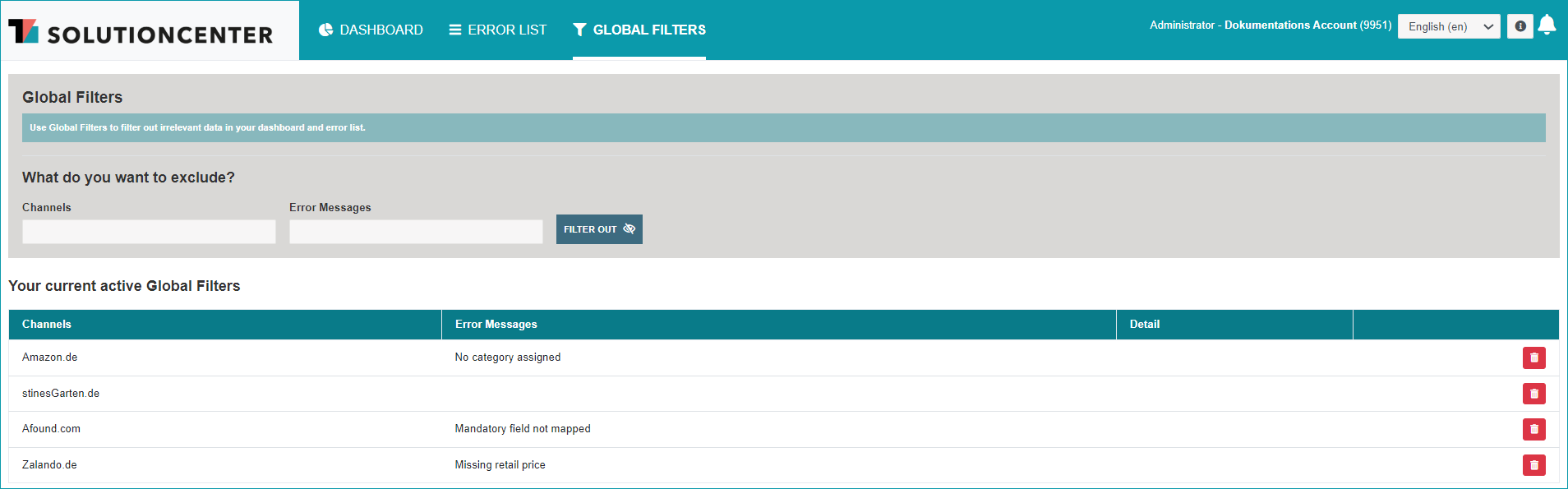
Click on "Global Filters" in the SolutionCenter's main navigation to reach this menu. The filters configured on this page can be used to hide certain errors in the Dashboard and the Error List, e.g. errors of a specific channel or messages about articles with a stock of "0". Data can be excluded with the drop-down menus and free text fields based on the criteria channel, error message, stock and detail. Once you have configured the filter according to your preferences, click on "Filter out". It may take some time until the filter comes into effect.
Below the filter configuration section, all currently active global filters are listed. Here, you can see all currently active filters at a glance and, if necessary, remove them by clicking on the  icon.
icon.
For further information, see also:
•SolutionCenter - overview
•Proof of data quality - overview