Delivery note templates that have been approved by the channels are stored in TB.One. The software, therefore, can create delivery notes for your orders automatically. If you would rather create the delivery notes with your own system, the delivery note template has to be submitted to the channel for approval.
When creating the delivery notes via TB.One, usually you can add your own return address and an individual service text to each channel's delivery note.
Via the menu "Admin > System settings > Documents" some general aspects of the delivery notes can be configured.
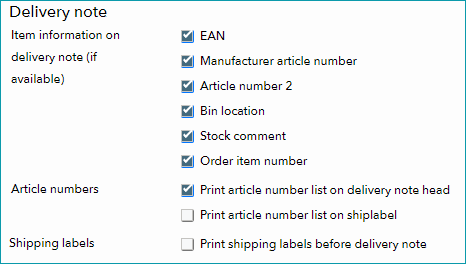
Here, you can choose to add the following information to the delivery notes: EAN, manufacturer's article number, secondary article number, bin location/storage area, stock comment, order item number. The latter is particularly useful if you process outgoing goods via the scan desktop, since a bar code will be added to facilitate processing via hand scanner.
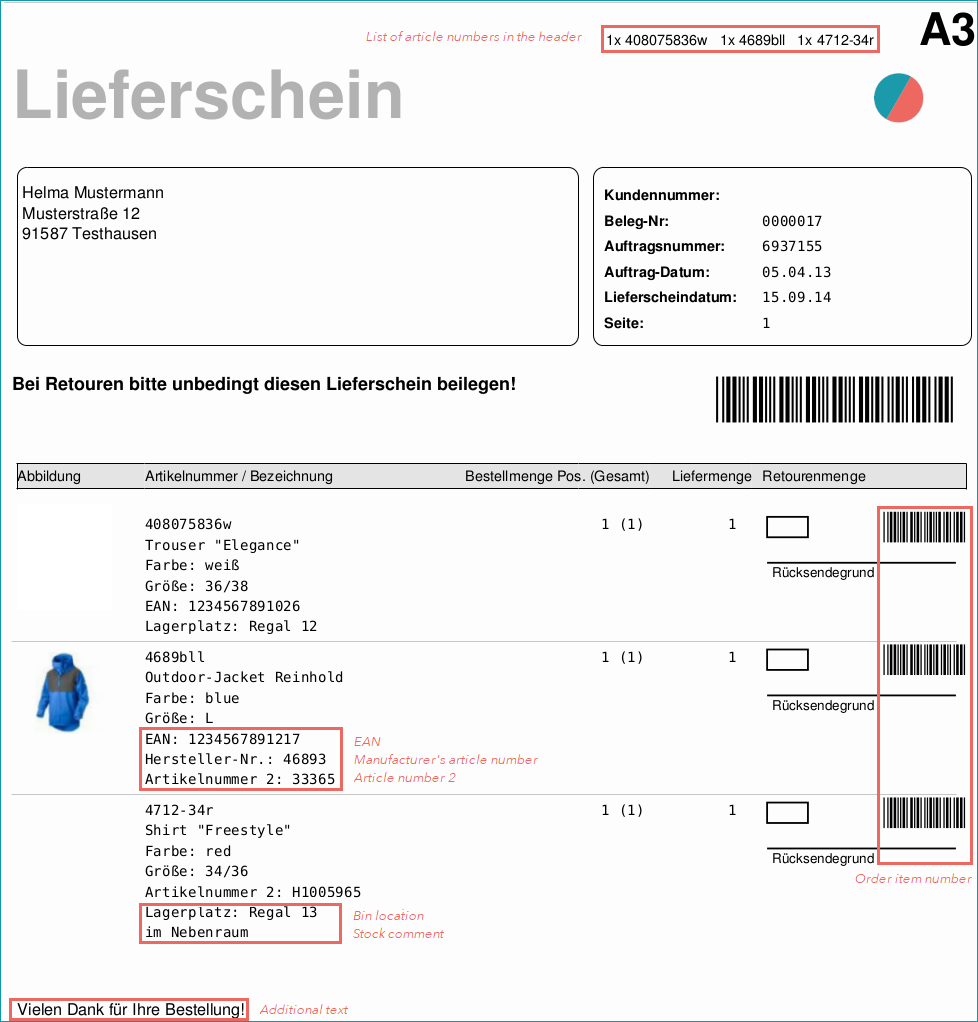
A list of the article numbers present in the order may be printed on the delivery note's header and the shipping label. Additionally, you may decide to always print a shipping label before each delivery note. However, shipping labels can only be printed if you ship via DHL and have stored a DHL number range in the respective channel's settings.
For further information, see also: