TB.One > Setup, Configuration & User Accounts > Order-Related Basic Data > Order-Related Basic Data - Overview
Order-Related Basic Data - Overview
Order-related basic data are created manually. Follow the instructions on the following pages to set up your order-related basic data:
ORDER-RELATED BASIC DATA |
|---|
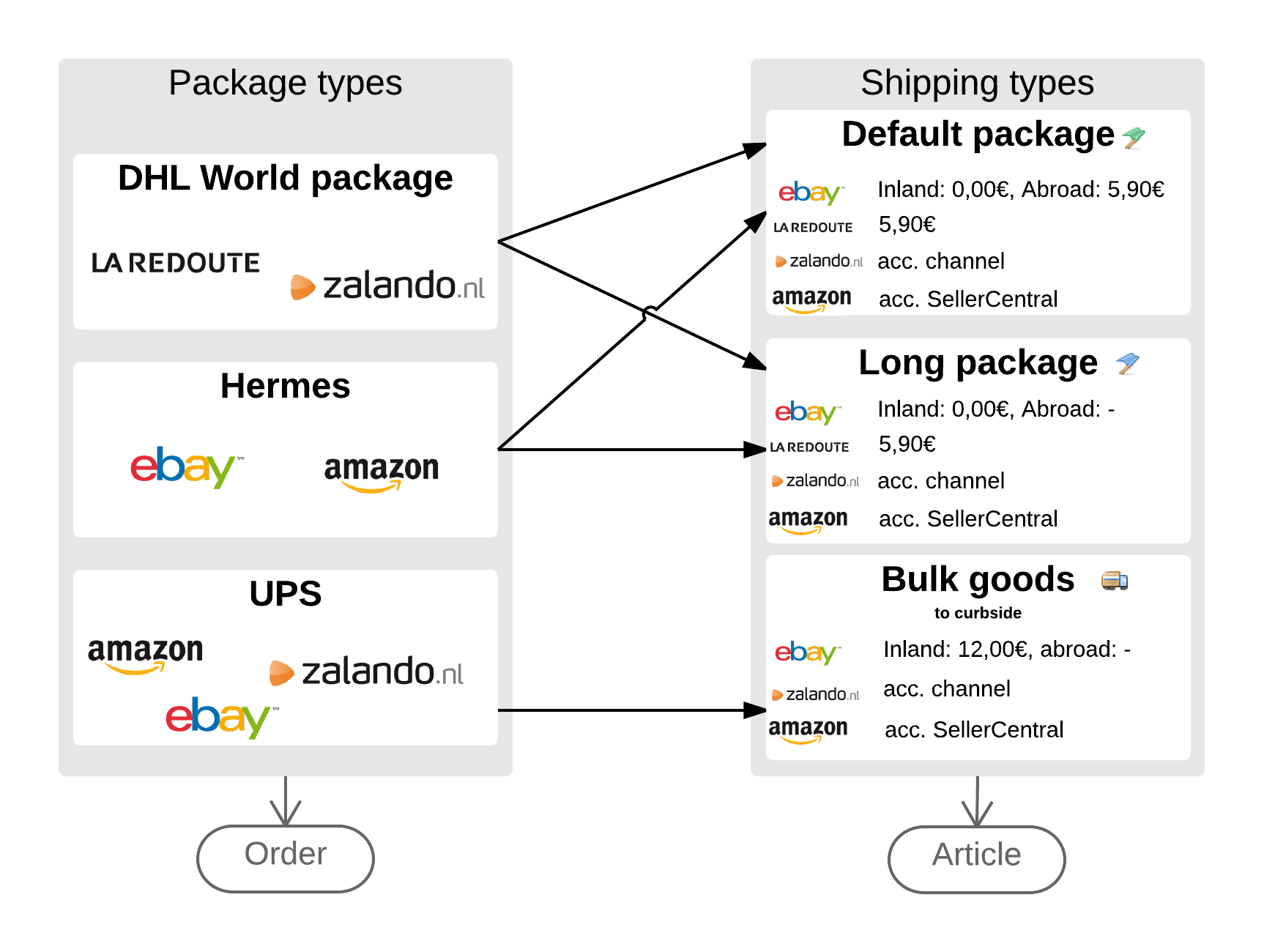
3. Settings regarding shipping Most shipping settings are configured at "Basic data > Shipping". Defining package and shipping types allows you to separate your products into different shipping groups. In a first step, you configure package types before combining them with the channels' shipping profiles by defining shipping types in a second step. Shipping types might be "bulk goods" or "package-capable". The connection to the package type is made with an entry in the field "Standard package type". For certain postal service providers, you may provide number ranges in this menu, which can then be used to generate shipping labels. At "Basic data > Prices > Price changes" you may define shipping surcharges/discounts.
|
3.1 Package types |
3.2 Shipping types |
3.3 Number ranges |